
Somewhere between the first wireframe and the final launch, accessibility often gets pushed aside. It ends up buried in a checklist between “finalize copy” and “QA testing,” treated like a feature instead of a foundation. A compliance task. Something to review right before launch.
That mindset is exactly why 98% of the top one million websites still have at least one WCAG failure.
Not because designers do not care. Not because developers are careless. But because accessibility is still treated as something you add later — instead of something you build into the product from the start.
At Azul Arc, we have spent years creating digital products for real people in real environments. One lesson continues to stand out:
When you design for the edges, you improve the experience for everyone.
Accessibility Is Not Just About Disability
When many teams hear the word “accessibility,” they immediately think about screen readers, captions, or high-contrast modes. They see it as a requirement for a small group of users.
But accessible design is simply good design.
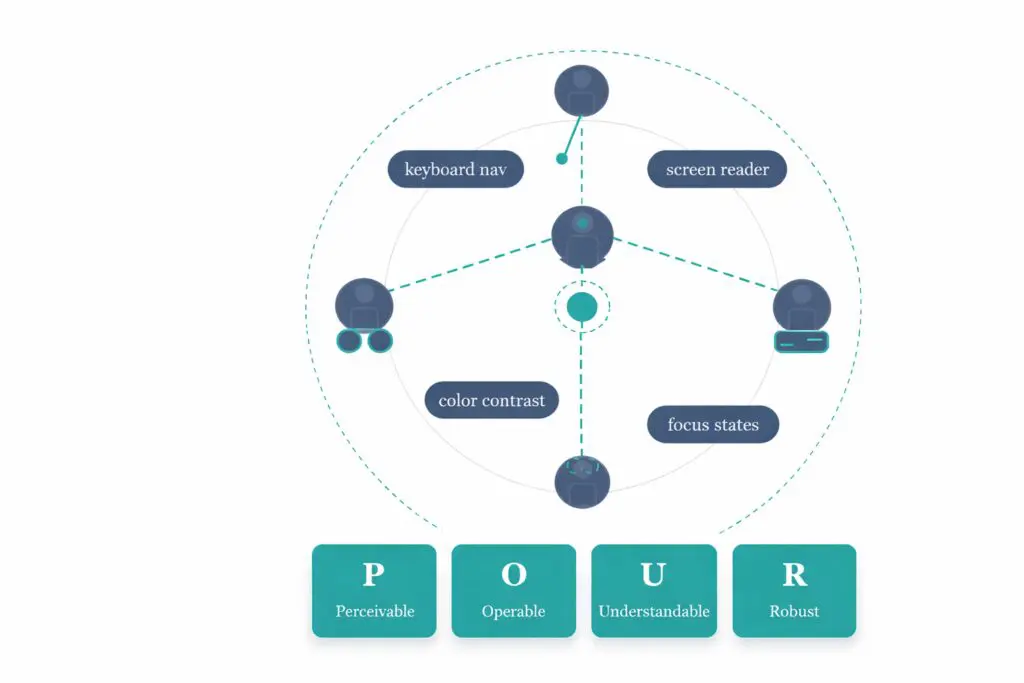
The Web Content Accessibility Guidelines (WCAG) are built around four principles. Digital products should be:
-
Perceivable
-
Operable
-
Understandable
-
Robust
Those principles are not only for users with disabilities. Every user benefits from interfaces that are easy to see, easy to navigate, simple to understand, and reliable to use.
Accessibility is not an advanced standard. It is the baseline for a product that works properly.
The Real Problem With “Fixing It Later”
Here is what usually happens when accessibility is treated as an afterthought:
The design is approved. Development is finished. Then, two weeks before launch, someone runs an accessibility audit.
Suddenly the team discovers:
-
Poor color contrast
-
Missing form labels
-
Broken keyboard navigation
-
Unclear focus states
-
Missing alt text
-
Components that screen readers cannot interpret properly
Now the team is rebuilding screens, redesigning components, and rewriting code under pressure.
Fixing accessibility issues after development can cost 10–30 times more than building accessibility into the product from day one. That is the reality of technical debt.
But the cost is not only financial.
It is also the user who cannot complete a form. The person who cannot use a mouse. The customer trying to read your interface outdoors in bright sunlight. The employee navigating your platform while stressed, distracted, or exhausted.
Accessibility problems affect far more people than most teams realize.
According to the WHO, more than 1.3 billion people globally live with some form of disability. That number does not even include temporary or situational challenges like injuries, aging, poor internet connections, fatigue, or low-light environments.
The Curb-Cut Effect
One of the best examples of inclusive design comes from city sidewalks.
Curb cuts — the small ramps connecting sidewalks to roads — were originally created for wheelchair users. Many people saw them as a niche accommodation.
But eventually everyone benefited from them:
-
Parents with strollers
-
Travelers with luggage
-
Delivery workers
-
Cyclists
-
People recovering from injuries
This became known as the “Curb-Cut Effect.”
The same thing happens in digital products.
Captions were created for Deaf users. Today, millions of people use them in public places without headphones.
High color contrast helps visually impaired users — but it also improves readability on mobile devices outdoors.
Keyboard navigation supports users with motor disabilities, but it is also preferred by many power users and developers.
Clear, simple language supports users with cognitive disabilities while also helping busy users scan content faster.
When you reduce friction for users with the greatest challenges, you improve the experience for everyone else too.
What Accessibility-First Design Actually Looks Like
At Azul Arc, accessibility is not a final-stage review. It is part of the product process from the beginning.
1. Accessibility Starts During Discovery
Before designing screens, we ask an important question:
Who will use this product, and what barriers might they face?
That includes:
-
Users with visual impairments
-
Users with motor disabilities
-
Users with cognitive differences
-
Users on assistive technology
-
Users on older devices
-
Users with slow internet connections
-
Users navigating in a second language
Accessibility begins during planning — not during QA.
2. Design Systems Are Built Accessibly
We validate accessibility standards before components are ever implemented.
That includes:
-
WCAG-compliant color contrast
-
Readable typography sizes
-
Proper spacing and touch targets
-
Clearly designed hover and focus states
-
Accessible interactive elements
These are not “extra features.” They are the foundation of usable design.
3. Structure Matters as Much as Visual Design
Accessibility is not only visual.
Screen readers rely on structure — headings, reading order, labels, and semantic organization.
That means accessibility must be considered during UX and content planning, not handed off later to developers.
A visually beautiful interface that lacks proper structure still creates a broken experience.
4. Real Users Must Test the Product
Automated accessibility tools are helpful, but they only catch part of the problem.
Real accessibility testing requires real users and real assistive technology.
A scan can identify technical issues. But only people can tell you whether the experience truly works.
That is why accessibility testing should include human feedback throughout the project lifecycle.
5. Accessibility Is Part of “Done”
Accessibility should not be treated as a separate audit delivered at the end of a project.
It should be included in:
-
Design reviews
-
Development sprints
-
QA cycles
-
Product acceptance criteria
It needs to become part of how teams define quality.
Accessibility Also Makes Business Sense
Inclusive products are better products.
Accessible experiences often lead to:
-
Better usability
-
Higher retention
-
Lower bounce rates
-
Improved SEO
-
Better form completion rates
Many accessibility best practices — semantic HTML, structured content, descriptive links — also improve search engine performance.
There is also a growing legal and compliance dimension.
Accessibility-related lawsuits continue to rise in the United States, and regulations like the European Accessibility Act are increasing pressure on organizations worldwide.
Accessibility is no longer optional for many businesses and public-sector organizations.
Global Accessibility Awareness Day Matters
Every May, the technology and design community observes Global Accessibility Awareness Day (GAAD).
It is an opportunity to pause and ask difficult but important questions:
-
Can your product be used entirely with a keyboard?
-
Does your interface work with a screen reader?
-
Is your content readable for users with low vision?
-
Are your forms understandable and usable under stress?
The goal is not perfection overnight.
The goal is awareness, progress, and commitment.
Because accessibility gaps usually do not exist because teams lack talent. They exist because accessibility was never prioritized early enough.
Designing for Everyone
Accessibility is not a final milestone. It is an ongoing responsibility.
Products evolve. Standards evolve. User needs evolve.
The important thing is continuing to ask:
Who is struggling to use this product — and how can we improve their experience?
At Azul Arc, that question shapes how we design and build technology every day.
Because the best digital products are not the ones that work for most people.
They are the ones that work for everyone.
And that is not idealistic design.
It is simply good design.
Azul Arc is an award-winning digital product design and development company based in Atlanta, GA. We build human-centered digital products for businesses, courts, and government organizations — with accessibility considered from day one.
Interested in an accessibility review of your product? Get in touch.