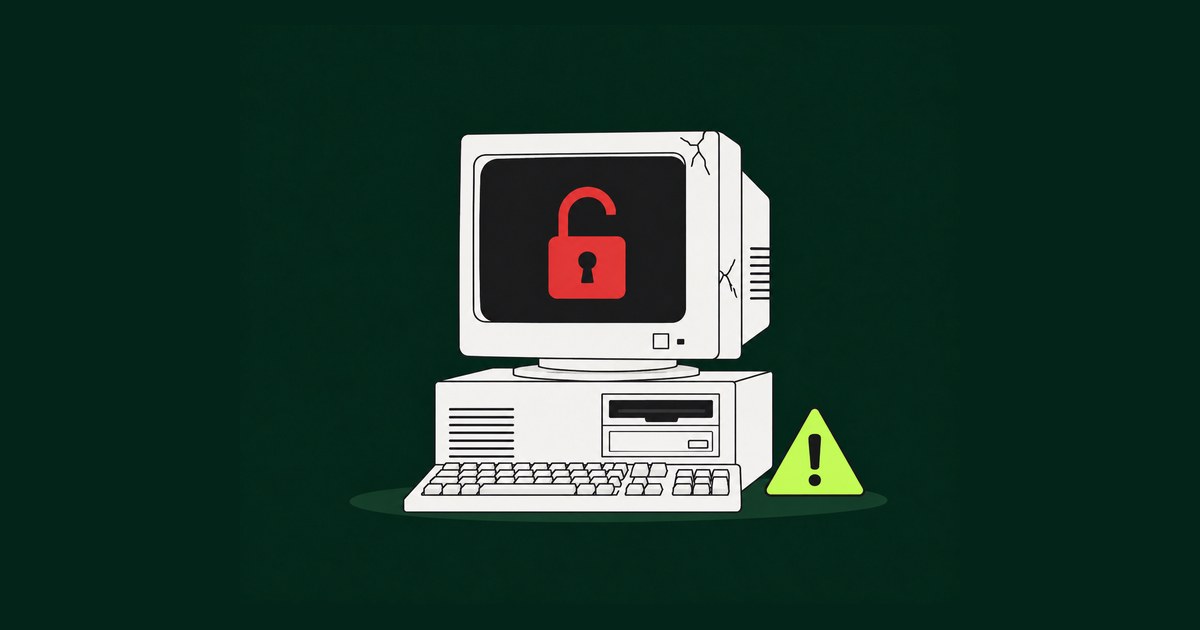
Every organization has one. The system that “just works.” The application built a decade (or two) ago that still runs payroll, processes permits, tracks cases, or manages customer records. Nobody wants to touch it, because touching it feels risky.
Here’s the uncomfortable truth: leaving it alone is the bigger risk.
Legacy systems are often discussed as a productivity issue or a budget line item. They’re slow, they’re expensive to maintain, and the people who understand them are retiring. All true. But the most urgent reason to modernize is one that rarely makes it into the boardroom conversation until it’s too late: outdated software is one of the largest and most exploitable security vulnerabilities an organization can have.
In this article, we’ll break down why legacy systems create security risk, what that risk actually costs, and how organizations can modernize in a way that’s secure, practical, and doesn’t bring operations to a halt.
What Counts as a “Legacy System”?
A legacy system isn’t defined by age alone. A five-year-old application can be legacy if it’s built on a framework that’s no longer supported. A system becomes legacy when it meets one or more of these conditions:
- It runs on an operating system, database, or framework that no longer receives security patches from the vendor.
- It depends on outdated programming languages or libraries that few developers still know.
- It can’t integrate with modern identity, logging, or monitoring tools.
- Documentation is incomplete, outdated, or lives only in someone’s head.
- Changes are avoided because “we’re not sure what will break.”
If any of those sound familiar, you’re dealing with a legacy system, and very likely a security exposure.
Why Legacy Systems Are a Security Risk
1. No More Security Patches
When a vendor ends support for a product, it stops releasing fixes for newly discovered vulnerabilities. But attackers don’t stop discovering them. Every month a system runs past its end-of-life date, the list of known, unpatched vulnerabilities grows, and those vulnerabilities are publicly documented in databases that attackers actively monitor.
In other words, an unsupported system isn’t just vulnerable. It’s vulnerable in ways that are published. Attackers don’t need to find a clever new exploit; they just need to look one up.
2. Outdated Authentication and Access Controls
Many older applications were built before modern security practices became standard. That often means:
- No support for multi-factor authentication (MFA)
- Hard-coded or shared credentials
- Weak password hashing (or none at all)
- Role-based access that’s either too broad or impossible to audit
- No integration with single sign-on (SSO) or centralized identity providers
Stolen and weak credentials remain one of the most common entry points in data breaches. A system that can’t enforce MFA or manage access properly is effectively leaving a door unlocked.
3. Weak or Missing Encryption
Legacy applications frequently store sensitive data in plain text or use encryption standards that are now considered broken. Data in transit may rely on outdated protocols like older versions of TLS or SSL. For organizations handling personal information, financial records, health data, or law enforcement and court records, this creates both a breach risk and a compliance problem.
4. Limited Visibility and Logging
You can’t defend what you can’t see. Modern security operations depend on detailed logs, real-time monitoring, and alerting. Many legacy systems produce minimal logs, store them locally where they can be tampered with, or can’t feed into a modern SIEM (security information and event management) platform.
The result? Breaches go undetected for months. Industry research consistently shows that the longer a breach goes unnoticed, the more expensive it becomes to contain.
5. Fragile Integrations and Workarounds
To keep legacy systems useful, organizations often bolt on integrations: custom scripts, file transfers over FTP, middleware nobody fully owns, or spreadsheets that get emailed around. Each workaround expands the attack surface. Each undocumented connection is a pathway an attacker can exploit, and one your security team may not even know exists.
6. Shrinking Expertise
When only one or two people understand how a system works, security suffers. Patches get delayed. Misconfigurations go unnoticed. And when those people leave, the organization loses its ability to respond quickly if something goes wrong. Knowledge risk is security risk.
The Real Cost of “If It Ain’t Broke, Don’t Fix It”
The instinct to avoid change is understandable. Modernization projects can feel expensive and disruptive. But the cost of keeping a legacy system running is rarely just its maintenance budget. Consider the full picture:
| Cost Area | What It Looks Like |
|---|---|
| Breach response | Forensics, legal counsel, notification, credit monitoring, and system recovery |
| Regulatory penalties | Fines tied to HIPAA, CJIS, PCI DSS, GDPR, state privacy laws, or accessibility and records requirements |
| Downtime | Ransomware or outages that halt operations, services, and revenue |
| Reputation | Lost trust from customers, citizens, partners, and stakeholders |
| Cyber insurance | Higher premiums, or denied coverage, for organizations running unsupported software |
| Opportunity cost | Budget and talent tied up keeping old systems alive instead of building what’s next |
For public sector organizations in particular, the stakes are even higher. Government agencies, courts, transit authorities, and educational institutions hold enormous amounts of sensitive data, and they’re frequent targets for ransomware precisely because attackers know many of them are running aging infrastructure.
Increasingly, cyber insurers and auditors are asking pointed questions about end-of-life software. “We’ve always done it this way” is no longer an acceptable answer.
Why Security Patches and Firewalls Aren’t Enough
Some organizations try to protect legacy systems by wrapping them in additional security layers: firewalls, network segmentation, VPNs, or virtual patching. These are valuable short-term measures and absolutely worth doing while a modernization plan is underway.
But they’re a tourniquet, not a cure. Compensating controls reduce exposure; they don’t eliminate the underlying weaknesses in the application itself. Over time, the cost and complexity of protecting an outdated system often exceeds the cost of replacing it, and the risk never fully goes away.
How to Modernize Legacy Systems Securely
Modernization doesn’t have to mean a risky, all-at-once “rip and replace.” The most successful projects take a phased, security-first approach.
Step 1: Assess and Prioritize
Start with an honest inventory. Which systems are past end-of-life? Which handle the most sensitive data? Which are most critical to daily operations? A risk-based assessment helps you prioritize the systems where modernization delivers the biggest security payoff first.
Step 2: Stabilize With Short-Term Controls
While planning, reduce immediate exposure. Segment legacy systems from the broader network, restrict access to only the people who need it, add monitoring where possible, and remove unnecessary integrations.
Step 3: Choose the Right Modernization Path
Not every system needs to be rebuilt from scratch. Common approaches include:
- Rehosting: moving the application to modern, supported infrastructure (often the cloud) with minimal code changes.
- Refactoring: updating the codebase to modern frameworks while preserving core functionality.
- Rebuilding: redesigning the application from the ground up with modern architecture, security, and user experience.
- Replacing: adopting a commercial or SaaS solution when a custom system no longer makes sense.
The right choice depends on the system’s complexity, how unique the business logic is, budget, and timeline.
Step 4: Build Security In From Day One
Modernization is the perfect opportunity to adopt secure-by-design principles: MFA and SSO, role-based access control, encryption at rest and in transit, centralized logging, automated security testing, and regular dependency updates. Security shouldn’t be a final checklist item; it should shape architecture decisions from the start.
Step 5: Migrate Data Carefully
Data migration is where many projects stumble. Sensitive data needs to be cleaned, validated, encrypted, and transferred with a clear chain of custody. Plan for parallel runs and rollback options so operations continue smoothly during the transition.
Step 6: Plan for Ongoing Maintenance
The goal isn’t just to replace an old system; it’s to avoid creating the next one. Establish a maintenance plan that includes regular updates, security reviews, and a roadmap for future enhancements.
Modernization Is a Security Strategy
Legacy systems were built for a different era with different threats. Today’s attackers are faster, more automated, and specifically looking for organizations running outdated software. Every month a critical system stays on unsupported technology, the risk compounds.
The good news is that modernization, done right, does more than close security gaps. It improves user experience, reduces maintenance costs, enables better data and reporting, and gives your teams tools that actually support the way they work today.
The question isn’t whether to modernize your legacy systems. It’s whether you’ll do it on your own timeline, or on an attacker’s.
How Azul Arc Can Help
At Azul Arc, we help organizations, from government agencies to growing enterprises, modernize legacy applications securely and strategically. Our team handles everything from system assessments and modernization roadmaps to full application rebuilds, secure data migration, and long-term support.
We focus on minimizing disruption, protecting sensitive data, and delivering modern, accessible, user-friendly software your teams will actually want to use.
Ready to find out where your legacy risk lives? Contact Azul Arc to start the conversation.